Showing posts with label delete adware. Show all posts

Tuesday, February 16, 2016

How to Remove Immediadement-arretez-echec-identifie-e3e63434159support7001314.com Tech Scam Support?

What is Immediadement-arretez-echec-identifie-e3e63434159support7001314.com?


Immediadement-arretez-echec-identifie-e3e63434159support7001314.com is recognized as a tech scam support that is often used to trick the innocent computers users into believing the issues and using its customer service (technician support). However, please don’t be cheated. Instead, you should find out and remove the adware or potentially unwanted program to get rid of this popup.


Tuesday, September 1, 2015

How to Get Rid of CrossBrowser Virus?

Infected with CrossBrowser? It displays tons of pop-up ads to your websites? Want to remove it from your computer completely? This post will tell you what to do.

What is CrossBrowser?


CrossBrowser is an application that often enters your computer through bundling methods. That is, it is usually set as an additional program to some software. If you install these infected software and fail to check the Terms and Agreements, you will download CrossBrowser to your computer.

Friday, August 28, 2015

How to Remove S.admathhd.com Popup Completely?

You got constant pop-ups shown as s.admathhd.com? Don’t know how to get rid of it? The methods on this post will help.

What is S.admathhd.com?


S.admathhd.com is reported as an adware that will pop up windows on top of emails in the AOL application itself. It is usually found not appearing to impact any visits to websites, but only email within www.aol.com. However, as an adware, s.admathhd.com will get installed on your computer without your knowledge via other software downloads and installs.

Once installed, it will not only appear on certain websites, but also on different kinds of websites. Adware is often created for commercial purposes. So the s.admathhd.com will keep showing up across the top of your screen to promote something. There must be something changed on your browser or even computer. It is annoying to get redirects when going online for browsing. What’s worse, it may record your browsing history and even collect your important information. You should get rid of it from your computer in no time.

Thursday, August 27, 2015

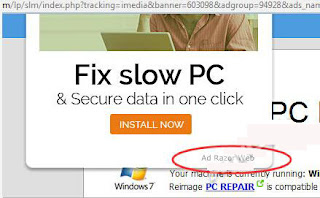
How to Get Rid of Razor Web on My Computer? Stop Pop-up Ads by Razor Web

“I need help on getting rid of Razor Web on my computer. I've watched videos and followed step-by-steps but none of it worked. Help?”

What is Razor Web?


If you get infected with Razor Web, you will encounter tons of pop-ups ads like “Ads by Razor Web”, “Powered by Razor Web”, “Brought by Razor Web”, or simply “Razor Web Ads”. That is because the program Razor Web is actually an adware or PUP. It is usually gets installed on users’ computers after they install certain software which might be packaged with additional programs. After infiltration, this adware will settle in your control panel and inject your browser as an extension.

Tuesday, August 25, 2015

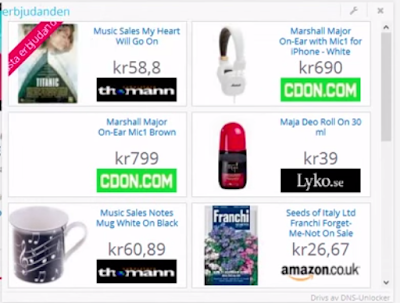
How to Get Rid of DNS Unlocker? Completely Remove Ads by DNS Unlocker

“I keep getting ‘Ads from DNS Unlocker’. It simply WON'T leave my computer no matter what I do! Anyone can help with this problem?”

What is DNS Unlocker?


DNS Unlocker is a severe adware which will sneak into user’s computer stealthily without any permission. It is a mulish program that needs to be removed with expert knowledge.


Thursday, August 20, 2015

How Do I Get Rid of FileRepMetagen [Adw]? Completely Remove FileRepMetagen [Adw] Virus

You are informed of being infected by FileRepMetagen [Adw]? Need help get rid of it from your computer? This article will teach you how to get rid of this infection completely.

What is FileRepMetagen [Adw]?


FileRepMetagen [Adw] is classified and reported as an adware infection. It is potentially unwanted and even troublesome for any computer user. It is distributed via freeware or shareware downloads and also get settled in your computer after you unzip share files or click malicious pop-ups. After infiltration, this adware will add unwanted and suspected extension to your browser and change your browser settings. You will notice a lot of pop-ups or banners hanging on your web page, which is rather troublesome for your web browsing.

Tuesday, August 18, 2015

How to Remove Ads by ExportApplicati? Uninstall ExportApplicati from Infected PC

ExportApplicati is a Nasty Adware


ExportApplicati claims to enhance users’ internet experience. Actually, what do you get from this program? It is trouble, trouble, trouble! You must know that this adware is created to generate web traffics and make pay-per-click revenues. It will only bring you different kinds of nasty and unwanted ads to your browser via the browser extension. There will be various linked products, coupons, and discount deals hanging on the blank space of the web page. All these ads are obstacle to your internet experience.

ExportApplicati Should Be Removed from Your Web Browser


Why is ExportApplicati unwanted? As is seen, this adware will display a lot of commercial or noncommercial third party ads. It can also add additional questionable content (web browser toolbars, optimization utilities and other unwanted program) to your computer. This adware will modify your start-up settings so that it can enable all the malicious functions. What’s worse, the important data such as bank account details and passwords saved on your browser may be stolen by this nasty adware. You should remove it to save your privacy.

Friday, July 17, 2015

Best Solutions on “How to get rid of ResonsiveApp?”

Your computer seems to have ResonsiveApp – a suspicious program that affects both your web browser and computer system? You can follow the removal guide below to get rid of it.

When seeing multiple Ads by ResonsiveApp on the website you visit, you may not be happy. That is because you will soon find its nasty properties.

  • It sneaks into your computer without your knowledge and consent.
  • It displays various random pop-ups or banners to your webpages.
  • It hijacks the webpages you want to visit.
  • It manages your browser extension or add-ons.
  • It drags down your network.
  • It degrades your computer performance.
  • It downloads additional unwanted programs and malware.
  • It monitors your browsing activities and records your browsing history.
  • Many more

As is seen, it is so annoying to get this adware in your computer. It is sheer a great troublemaker. You should take actions to remove it. Among all the solutions, SpyHunter Anti-Malware will give you fitting services. All you need to do is install it for automatic removal.

Tuesday, June 23, 2015

How to Remove Ads by Filter Results?

What is Filter Results?


Filter Results is an adware program that h claims to enable various useful functionalities. It is promoted as a useful tool to avoid information overload on your web. Actually, this adware will never improve the Internet browsing experience but deliver a lot of unrelated commercial ads. Commonly, once infected, you may see a lot of advertisements titled with “Ads by Filter Results”, “Filter Results Ads”, “Filter Results Deals”, “Powered by Filter Results”, or “Brought to you by Filter Results”, etc.

What Problems Will Filter Results Cause?


Filter Results is usually installed as a browser extension/BHO to popular browsers like Internet Explorer, Google Chrome, and Mozilla Firefox. It is sometimes set to automatically provide different pop-ups or in-texts on YouTube or other websites. It is more annoying than dangerous because it appears all the time when you go online. This adware may record your browsing information like search enquires and URL history. If you click the products or services it offers, you may download suspicious program. Besides, this adware may consume memory space to slow down your network speed.

Tuesday, June 16, 2015

What is Quick Surf? Is it a Malware?

These days, Quick Surf appears in many computers stealthily. Users often find them when they surf the internet because it often shows as pop-ups or in-texts in the website that they visit. This program is deemed as an adware. Not many people will like it. You may ask this question: Is it a malware? The author may share some options with you.

What is Adware? Quick Surf is an Adware


Adware, also called advertising-supported software, is any software package that automatically renders advertisements in order to generate revenue for its author. It is often used to promote any kinds of goods or services. The adware is offered either free or paid. The paid adware is usually available by an online purchase of a license or registration code for the software that unlocks the mode, or the purchase and download of a separate version of the software. This kind of adware sometimes can be useful because they often show something useful to its users.

However, the term adware is frequently used to describe a form of malware. When as a malware, it will present unwanted advertisements to the infected computers. This malware often shows as all kinds of forms like scroll-down navigation of different deals or offers, pop-up ads of discounts, media updates, malware scan offers, or many others. This kind of adware can read the data stored in the computer and collect sales leads for the third parties. They can mess up the internet browsing and trigger other unwanted programs. So they are thought be malicious.

Sunday, May 31, 2015

Easy Steps to Remove Chromatic Adware Effectively

About Chromatic


Chromatic is a free application that claims to enhance users’ internet browsing experience with privacy security. It is promoted as a modern browser that puts its users’ privacy and security first and does not track their location or does not collect their personal information, etc. It seems wonderful, isn’t it? Actually, this application is just a potentially unwanted program or adware that enables online advertising for all kinds of products or services. This adware is notorious for its distribution in illegal way. It often stealthily installs itself on different browsers without users’ knowledge and permission via a deceptive marketing method called ‘bundling’. As a suspicious browser extension on many browsers (Internet Explorer, Mozilla Firefox, Google Chrome), Chromatic can generate intrusive online advertisements straightaway.

Saturday, September 27, 2014

Remove Zym.tollbahsuburban.com Completely - Removal Guide

What is Zym.tollbahsuburban.com?


Zym.tollbahsuburban.com is known as an adware or browser hijacker redirect virus which will display you annoying unwanted ads no matter you are doing Google Search or visiting specific websites. Usually it will redirect you to Zym.tollbahsuburban.com or http://Zym.tollbahsuburban.com  every time you open a new tab on your web browser like Internet Explorer, Firefox, Google Chrome, Safari, etc.

What harms to can it bring to your computer?


  • To live with this hijacker, it can track and store your online traces to collect your search keywords to report to the remote server.
  • It can take up your system resource to slow down your overall computer performance.
  • It can modify your default browser settings to try to redirect you to its domain and display you annoying ads.
  • It can invite other similar infections to come into your computer with the hole it chiseling up on the backdoor.

Thursday, September 25, 2014

How to Get Rid of Cdncache-a.akamaihd.net Completely and Safely - Removal Guide

What is Cdncache-a.akamaihd.net pop-up?


Cdncache-a.akamaihd.net is also known as a browser hijacker or an adware which will display you annoying pop up ads, sponsored links while you are browsing on the internet. Besides, it can cause redirections and try to redirect you to ad-supported sites. And you cannot just close the pop-up window to get rid of this adware. Keep it longer, it can affect your web browsers one by one.